XUDA A5 Mini Wireless CarPlay Android Auto USB Adapter 2 in 1 Smart Mini Box
XUDA A5 Mini Wireless CarPlay Android Auto USB Adapter 2 in 1
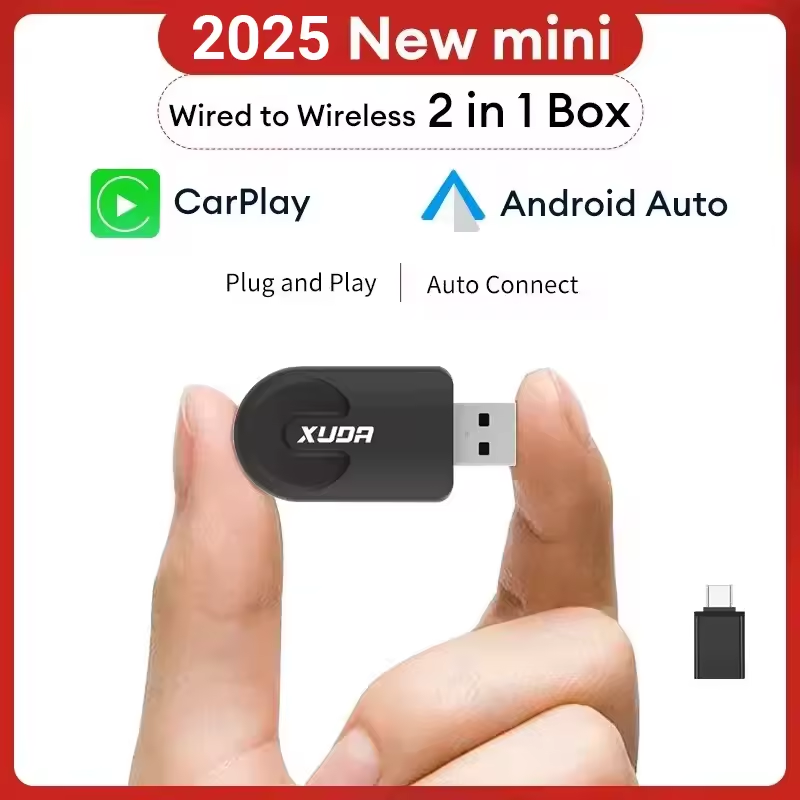
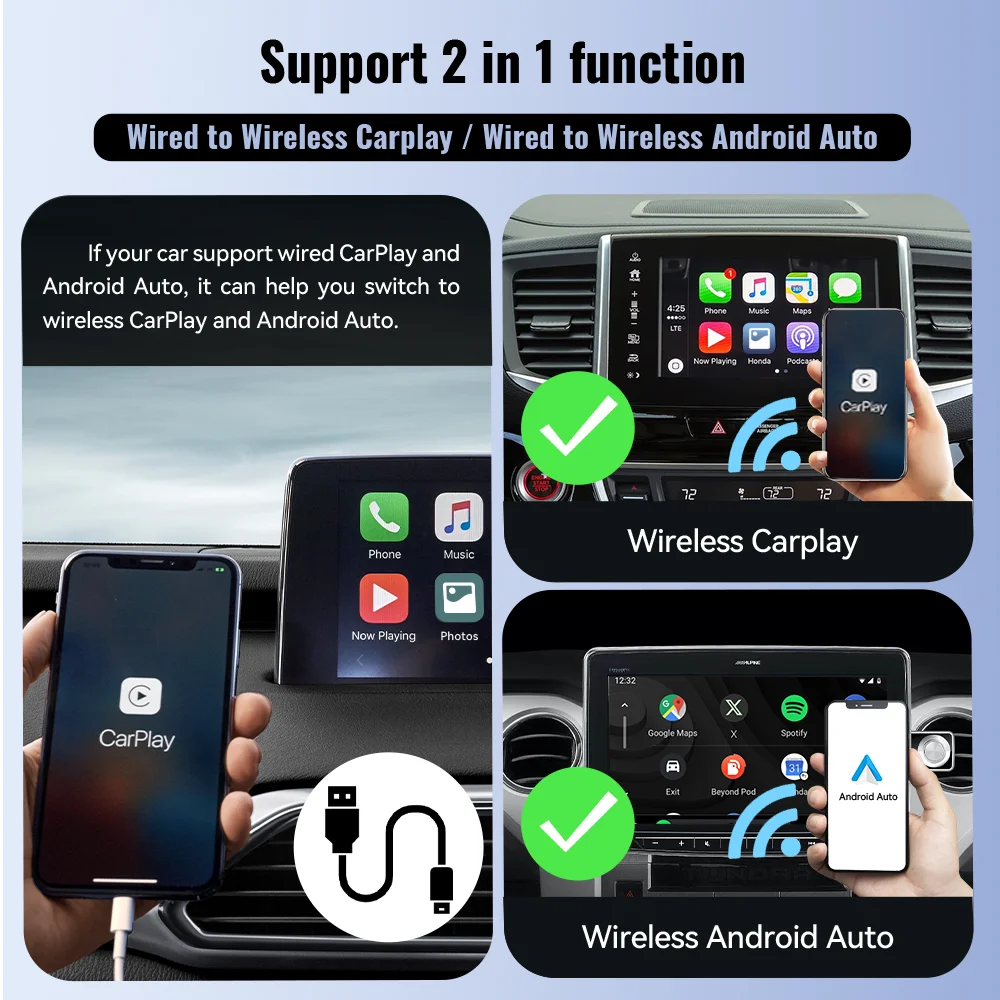
Compact plug-and-play wireless adapter that converts supported factory wired CarPlay or wired Android Auto systems into wireless connection. Requires an existing wired CarPlay or Android Auto function in the car.
محول زودا إيه فايف ميني اللاسلكي لكاربلاي وأندرويد أوتو
محول صغير يتم توصيله في منفذ السيارة لتحويل كاربلاي أو أندرويد أوتو من الاتصال السلكي إلى الاتصال اللاسلكي، بشرط أن تكون السيارة داعمة للتشغيل السلكي من الأساس.
- Description
- Reviews (0)
Description
XUDA A5 Mini Wireless CarPlay Android Auto USB Adapter 2 in 1 Smart Mini Box
Product Overview
XUDA A5 Mini Wireless CarPlay Android Auto USB Adapter 2 in 1 Smart Mini Box is a compact plug-and-play wireless adapter designed to convert supported factory wired CarPlay or wired Android Auto systems into a wireless experience. Instead of connecting your phone with a cable every time you enter the car, this mini USB adapter allows compatible vehicles to connect wirelessly after the first pairing setup.
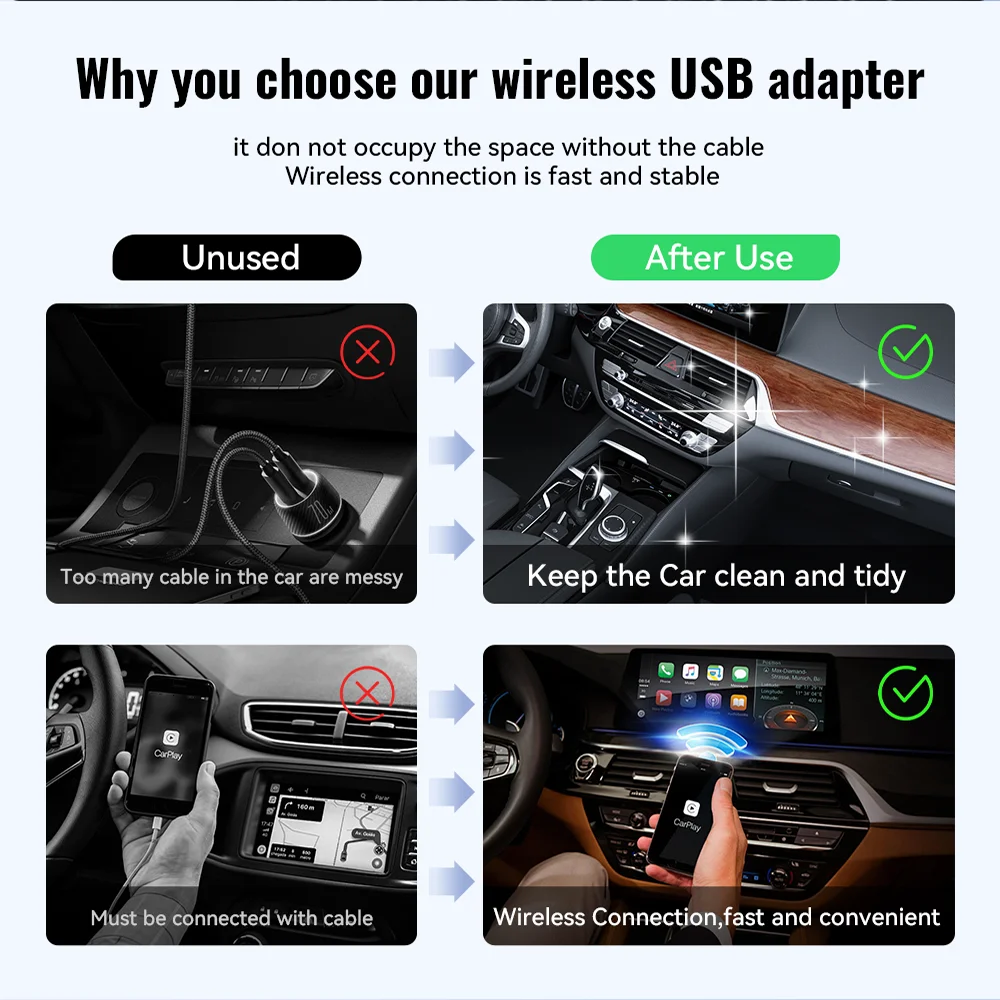
The adapter is made for cars that already support original wired Apple CarPlay or wired Android Auto through the vehicle USB port. It does not add CarPlay or Android Auto to cars that do not already have the wired function. Once installed and paired, it helps keep the car interior cleaner, reduces cable clutter, and allows easier access to maps, music, calls, messages, voice control, and compatible driving apps through the original car screen.
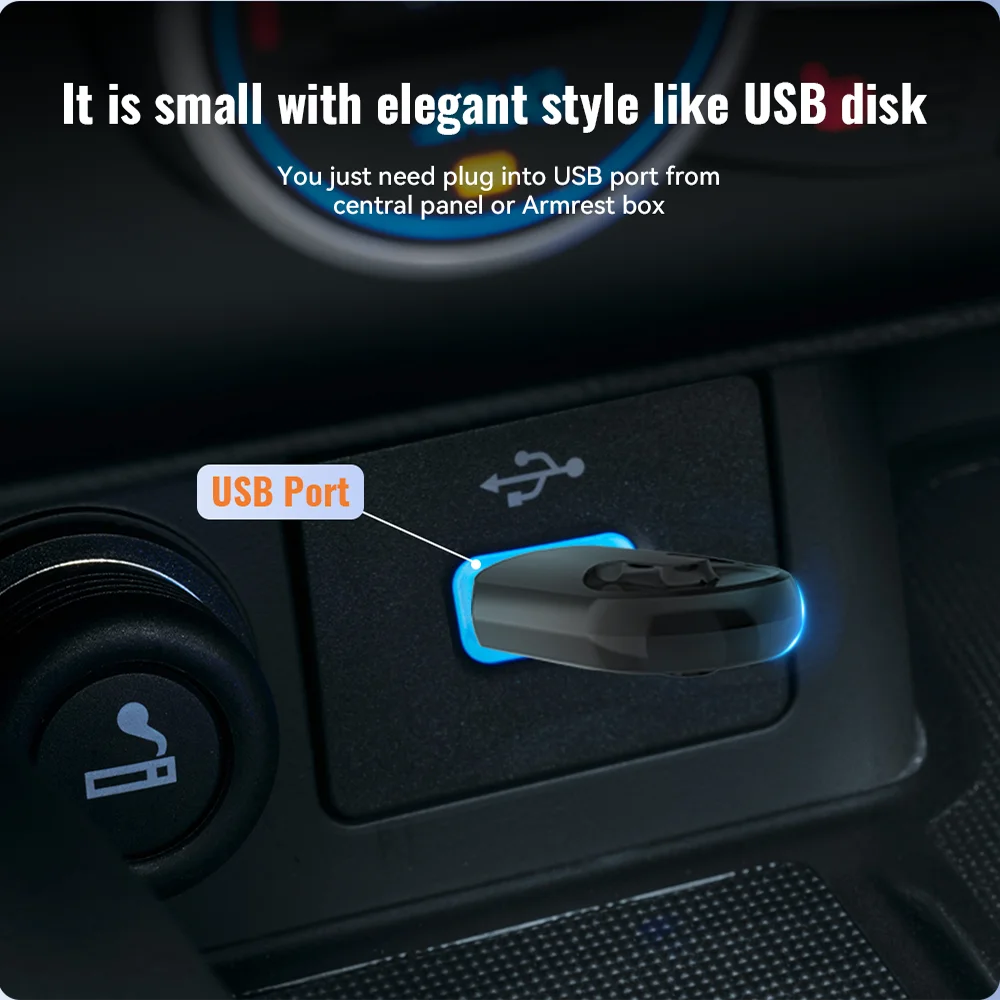
With a small USB-disk-style body, the A5 Mini can be plugged directly into the car USB port in the center console, dashboard, or armrest box depending on the vehicle design. Its compact size makes it less intrusive than cable-based adapters, while the wireless connection uses WiFi and Bluetooth pairing for convenient daily use.
Main Features
- 2 in 1 wireless function: Converts supported wired CarPlay and wired Android Auto systems into wireless CarPlay or wireless Android Auto.
- Plug and play installation: No need to remove the factory radio or modify the dashboard.
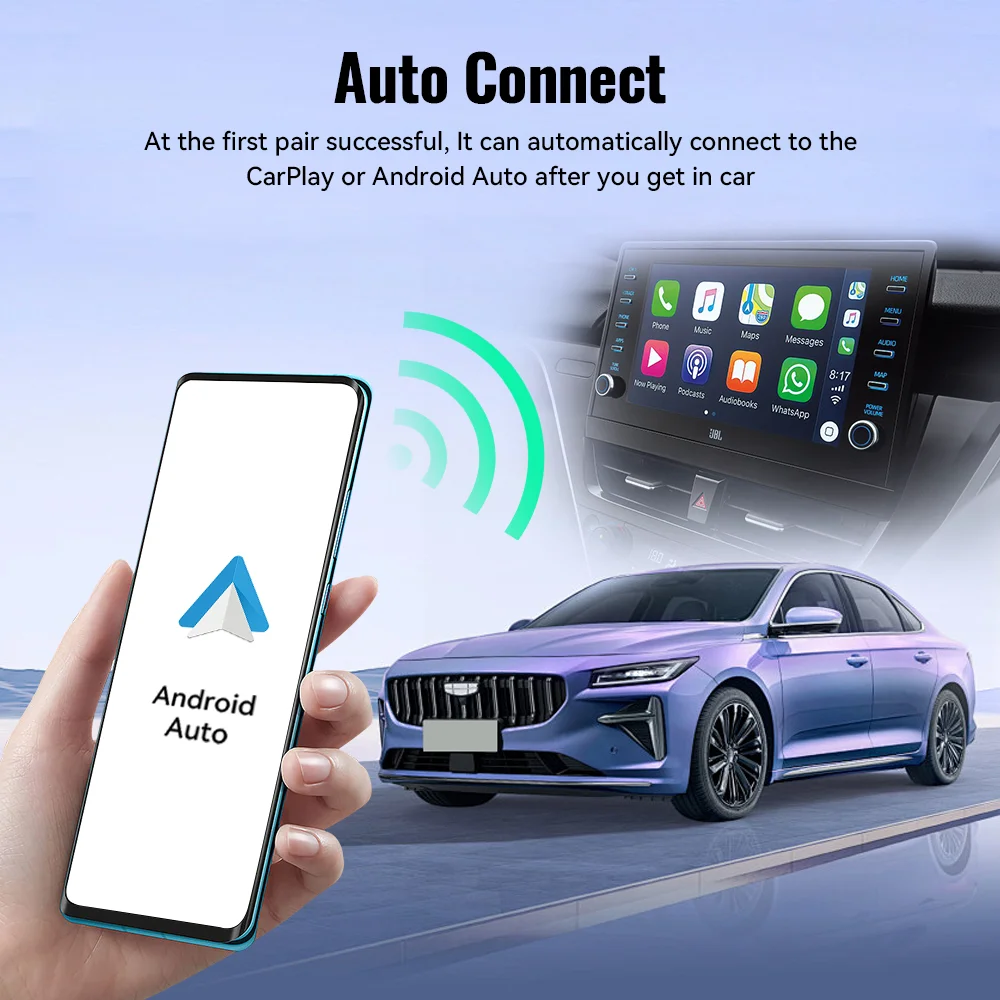
- Auto reconnect: After the first successful pairing, the adapter can reconnect automatically when you enter the car.
- Compact A5 Mini design: Small USB-style body that helps keep the car interior clean and tidy.
- WiFi and Bluetooth connection: Uses wireless connection technology for faster and more convenient daily operation.
- Original controls retained: Supports the original car screen, touch control, steering wheel control, knob control, and voice control when supported by the vehicle system.
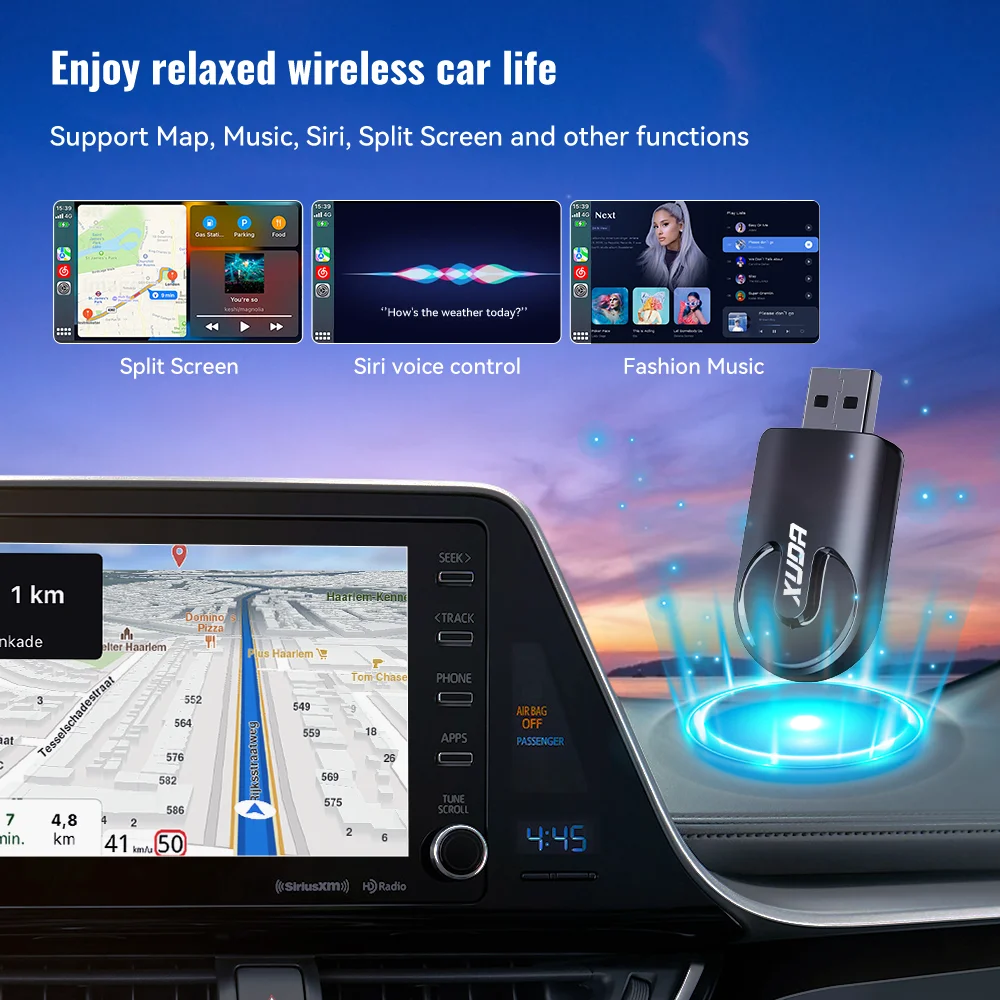
- Supports daily driving functions: Maps, music, calls, messages, voice assistant, split screen, and compatible CarPlay or Android Auto apps.
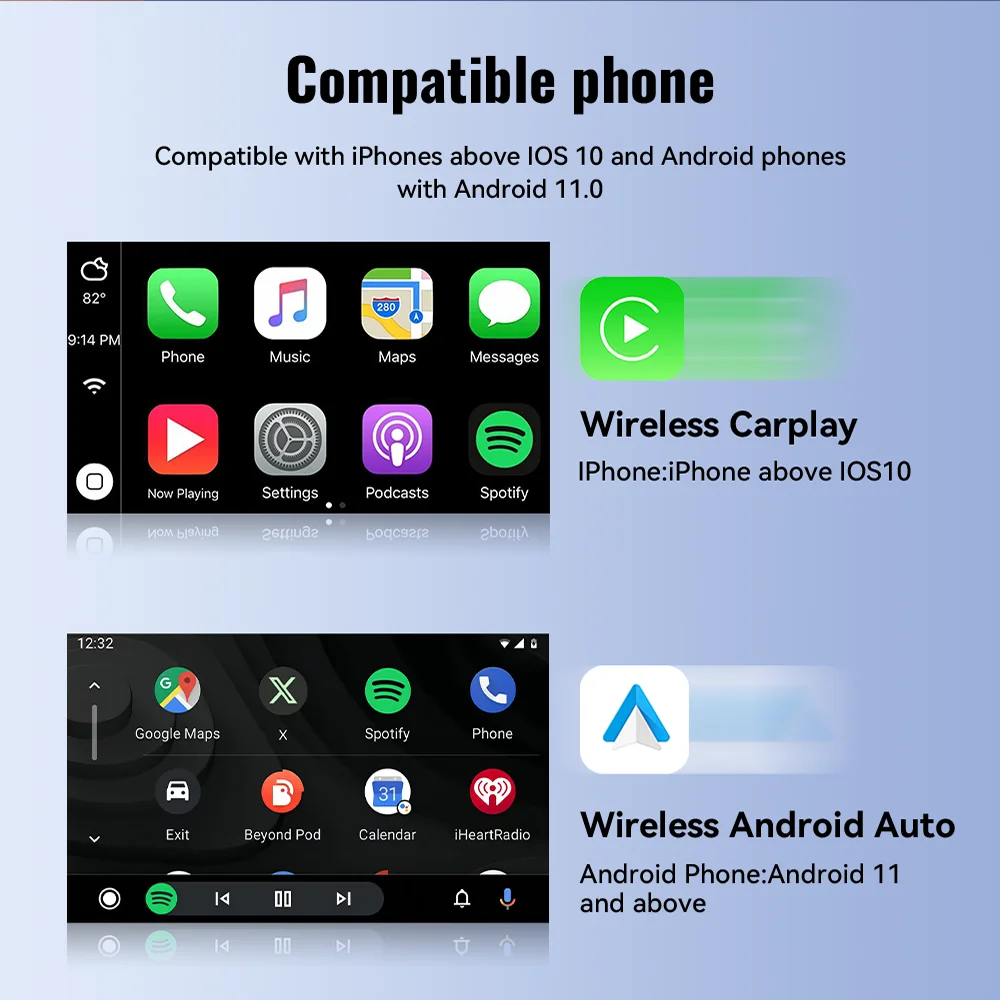
- Wide phone compatibility: Supports iPhone 6 and newer with iOS 10 or above, and Android phones with Android 11 or above.
- Clean cable-free use: Reduces the need for a phone cable connected across the dashboard or center console.
- Includes Type-C adapter: Useful for cars that use a Type-C port instead of a standard USB-A port, depending on the supplied batch.
Technical Specifications
| Parameter | Details |
|---|---|
| Product Type | Wireless CarPlay / Android Auto Adapter |
| Model / Series | A5 Mini |
| Brand | XUDA |
| Main Function | Wired to wireless CarPlay / wired to wireless Android Auto |
| Product Size | 26 × 13 × 55 mm |
| Power Input | 5V ± 0.2V / 1.0A |
| Power Output | DC 5V ± 0.2V / 1.0A |
| Connection | WiFi + Bluetooth pairing |
| Bluetooth | Bluetooth 5.0 according to supplied product data |
| Wireless Network | 5GHz WiFi according to supplied product data |
| iPhone Compatibility | iPhone 6 and above, iOS 10 and above |
| Android Compatibility | Android 11 and above for wireless Android Auto |
| Vehicle Requirement | The car must already support factory wired CarPlay or factory wired Android Auto |
Important Compatibility Notes Before Buying
- This adapter only converts an existing wired CarPlay or wired Android Auto system into wireless mode.
- Your car must already have original wired CarPlay or wired Android Auto through the USB port.
- It is not suitable for cars that do not support CarPlay or Android Auto from the factory or from the installed head unit.
- BMW, Tesla, and some specific models may not be compatible.
- Huawei phones using EMUI may not support wireless Android Auto properly due to system limitations.
- Some cars may require using the main data USB port, not a charging-only USB port.
- Compatibility depends on the car head unit software, phone system version, USB port type, and original CarPlay / Android Auto support.
How to Use
- Plug the XUDA A5 Mini adapter into the car USB port that normally supports wired CarPlay or wired Android Auto.
- Turn on WiFi and Bluetooth on your phone.
- Search for the adapter Bluetooth name, usually shown as SmartBox or a similar name depending on the batch.
- Pair the phone with the adapter and approve the CarPlay or Android Auto connection prompt.
- After the first setup, the adapter can connect automatically when the car starts and the phone is nearby.
How to Confirm Your Car Supports This Adapter
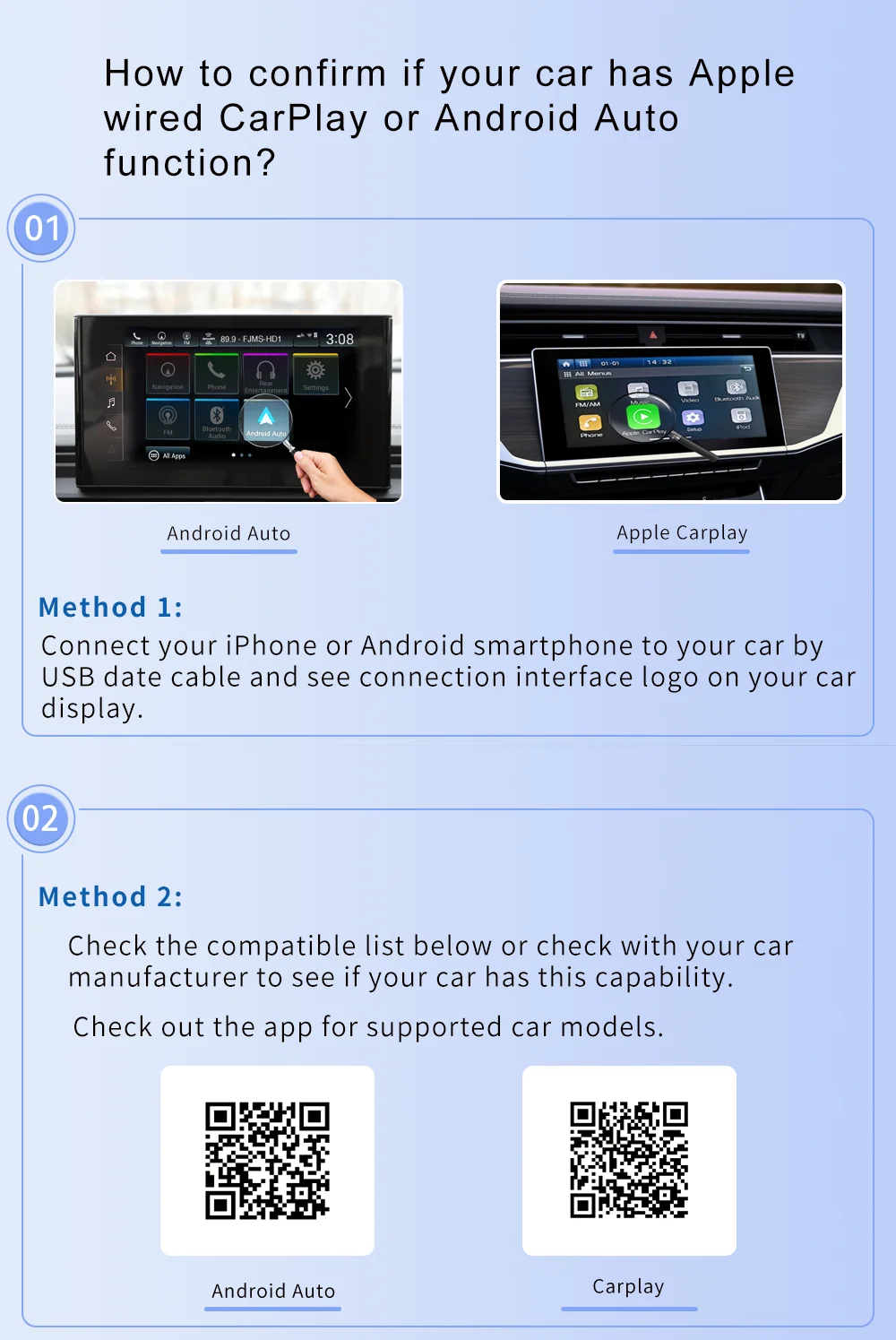
Before purchasing, connect your phone to the car using a data USB cable. If the car screen opens Apple CarPlay or Android Auto normally through the cable, then the car usually has the required wired function. If the phone only charges and no CarPlay or Android Auto interface appears, this adapter will not add the function by itself.
You can also check your car manual, infotainment system settings, or ask your car manufacturer or installer to confirm whether your car supports original wired CarPlay or wired Android Auto.
Supported Use Cases
- Wireless Apple CarPlay connection for supported iPhones.
- Wireless Android Auto connection for supported Android phones.
- Navigation apps through the car screen.
- Music and audio streaming through supported driving apps.
- Hands-free calls and messages.
- Voice assistant use through supported vehicle controls.
- Split screen and app display features when supported by the vehicle system.
- Cleaner dashboard setup without a permanent phone cable.
Safety and Use Notes
- Do not set up or operate phone apps while driving.
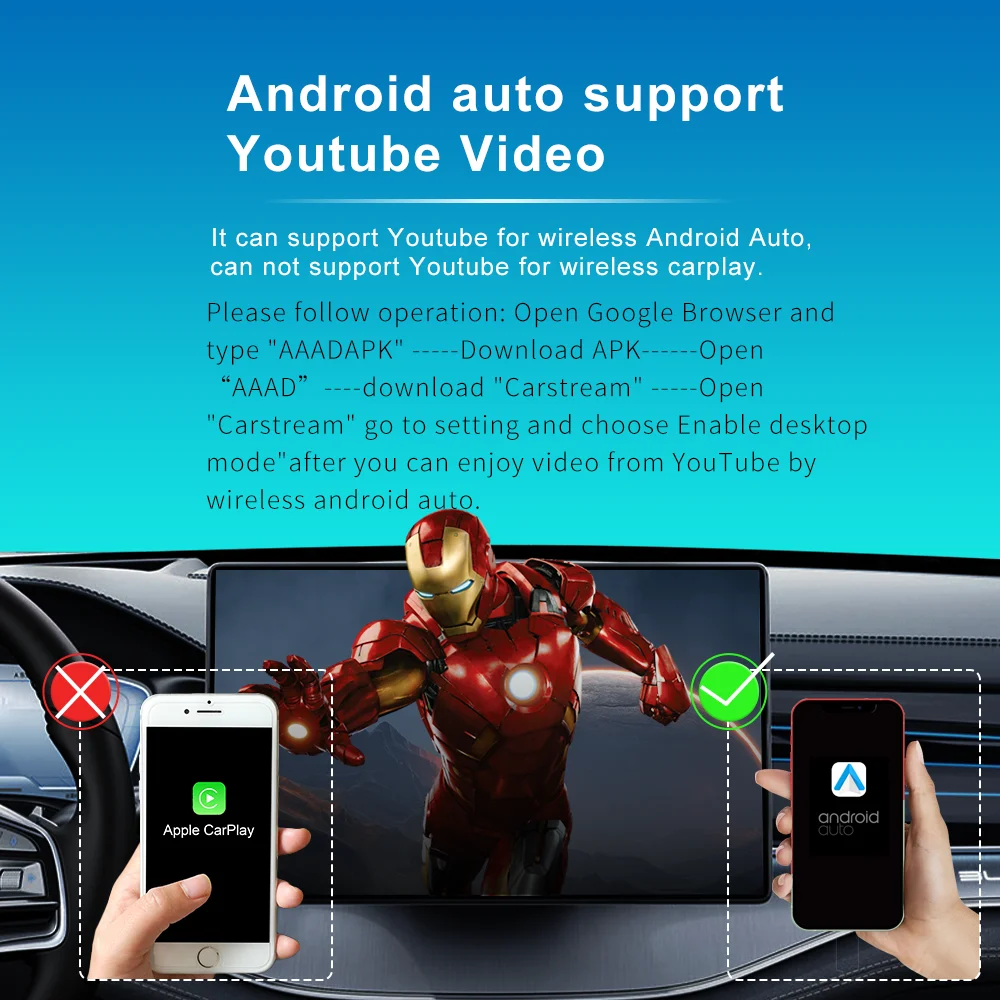
- Video playback support is not guaranteed and may depend on phone system, car system, app restrictions, and local regulations.
- For safety, video viewing should not be used by the driver while the vehicle is moving.
- Keep the adapter inserted firmly in the correct USB port to avoid disconnection.
- If connection becomes unstable, remove the adapter, restart the car system, and pair again.
Package Includes
- 1 × XUDA A5 Mini Wireless USB Adapter.
- 1 × USB-A to Type-C adapter, if included with the supplied batch.
- 1 × User manual.
Micro Ohm Quality Note
The XUDA A5 Mini Wireless CarPlay Android Auto Adapter is a practical upgrade for compatible cars where the owner already uses wired CarPlay or wired Android Auto and wants a cleaner wireless setup. Random product samples may be checked by Micro Ohm to help verify physical condition and basic functionality before listing. Shape, logo placement, packaging, or included adapter may vary slightly depending on the supplied batch while the main function remains the same.
محول سيارة لاسلكي صغير من زودا لتحويل كاربلاي وأندرويد أوتو من سلكي إلى لاسلكي
نظرة عامة على المنتج
محول سيارة لاسلكي صغير من زودا لتحويل كاربلاي وأندرويد أوتو من سلكي إلى لاسلكي هو محول صغير يتم تركيبه في منفذ يو إس بي داخل السيارة، ومخصص للسيارات التي تدعم بالفعل تشغيل كاربلاي أو أندرويد أوتو عن طريق الكابل. وظيفة المنتج الأساسية هي تحويل الاتصال من سلكي إلى لاسلكي، بحيث لا تحتاج إلى توصيل الهاتف بالكابل في كل مرة تدخل فيها السيارة.
هذا المحول لا يضيف خاصية كاربلاي أو أندرويد أوتو إلى سيارة لا تدعمها من الأساس. يجب أن تكون السيارة أو الشاشة الأصلية أو وحدة التشغيل الموجودة بالسيارة قادرة بالفعل على تشغيل كاربلاي أو أندرويد أوتو بالكابل. بعد التأكد من ذلك، يمكن استخدام المحول لتوفير تجربة لاسلكية أكثر راحة، مع تقليل الفوضى الناتجة عن الكابلات داخل السيارة.
يتميز المحول بحجم صغير يشبه الفلاش ميموري، لذلك يمكن تركيبه في منفذ السيارة بدون أن يشغل مساحة كبيرة أو يسبب مظهرًا مزعجًا داخل الكونسول أو مسند الذراع أو التابلوه. وبعد أول عملية اقتران ناجحة، يمكن للمحول إعادة الاتصال تلقائيًا عند تشغيل السيارة ووجود الهاتف بالقرب منه، حسب دعم السيارة والهاتف.
يساعد هذا المنتج على استخدام الخرائط والموسيقى والمكالمات والرسائل والأوامر الصوتية والتطبيقات المتوافقة من خلال شاشة السيارة الأصلية مع الحفاظ على أزرار التحكم الأصلية مثل اللمس، أزرار عجلة القيادة، مفتاح التحكم الدوار، والتحكم الصوتي إذا كانت مدعومة في السيارة نفسها.
أهم المميزات
- وظيفة اثنان في واحد: يحول كاربلاي السلكي وأندرويد أوتو السلكي إلى اتصال لاسلكي في السيارات المتوافقة.
- تشغيل مباشر: يتم توصيله في منفذ يو إس بي بدون فك الشاشة الأصلية أو تعديل ضفيرة السيارة.
- إعادة اتصال تلقائية: بعد أول اقتران ناجح، يمكن أن يتصل تلقائيًا عند دخول السيارة وتشغيل النظام.
- تصميم صغير جدًا: جسم مدمج يحافظ على شكل السيارة الداخلي مرتبًا ويقلل الكابلات.
- اتصال لاسلكي سريع: يعتمد على الواي فاي والبلوتوث لإتمام الاتصال بين الهاتف والسيارة.
- يحافظ على تحكم السيارة الأصلي: يدعم شاشة اللمس وأزرار عجلة القيادة والتحكم الدوار والتحكم الصوتي إذا كانت السيارة تدعم ذلك.
- مناسب للاستخدام اليومي: يساعد في تشغيل الخرائط والموسيقى والمكالمات والرسائل والتطبيقات المتوافقة.
- توافق واسع مع الهواتف: يدعم هواتف آيفون من الإصدار السادس فأحدث مع نظام مناسب، ويدعم هواتف أندرويد الحديثة المتوافقة مع أندرويد أوتو اللاسلكي.
- مظهر أنظف داخل السيارة: يقلل الحاجة إلى كابل ممتد بين الهاتف ومنفذ السيارة.
- قد يتضمن محول منفذ: يمكن أن يأتي معه محول من يو إس بي عادي إلى منفذ النوع سي حسب الدفعة.
المواصفات الفنية
| البند | التفاصيل |
|---|---|
| نوع المنتج | محول لاسلكي للسيارة |
| الموديل | إيه فايف ميني |
| البراند | زودا |
| الوظيفة الأساسية | تحويل كاربلاي وأندرويد أوتو من سلكي إلى لاسلكي |
| أبعاد المنتج | ٢٦ × ١٣ × ٥٥ ملم |
| دخل الطاقة | ٥ فولت مع سماحية بسيطة، حتى ١ أمبير |
| خرج الطاقة | ٥ فولت تيار مستمر مع سماحية بسيطة، حتى ١ أمبير |
| طريقة الاتصال | واي فاي وبلوتوث |
| إصدار البلوتوث | الإصدار الخامس حسب بيانات المنتج المرسلة |
| الشبكة اللاسلكية | واي فاي بتردد خمسة جيجاهرتز حسب بيانات المنتج المرسلة |
| توافق هواتف آيفون | آيفون ٦ فأحدث مع نظام الإصدار العاشر أو أحدث |
| توافق هواتف أندرويد | أندرويد ١١ أو أحدث للتشغيل اللاسلكي |
| شرط التوافق مع السيارة | يجب أن تدعم السيارة كاربلاي أو أندرويد أوتو بالكابل من الأساس |
ملاحظات مهمة قبل الشراء
- هذا المنتج يحول الاتصال السلكي الموجود بالفعل إلى اتصال لاسلكي فقط.
- السيارة يجب أن تكون داعمة لكاربلاي أو أندرويد أوتو بالكابل من منفذ يو إس بي الأصلي.
- لا يصلح للسيارات التي لا يظهر بها كاربلاي أو أندرويد أوتو عند توصيل الهاتف بالكابل.
- بعض موديلات بي إم دبليو وتسلا وبعض الموديلات الأخرى قد لا تكون متوافقة.
- هواتف هواوي التي تعمل بواجهة خاصة قد لا تدعم أندرويد أوتو اللاسلكي بشكل صحيح.
- بعض السيارات تحتاج استخدام منفذ البيانات الأساسي وليس منفذ الشحن فقط.
- التوافق يعتمد على نظام شاشة السيارة، إصدار نظام الهاتف، نوع منفذ السيارة، ودعم السيارة الأصلي للتشغيل السلكي.
طريقة الاستخدام
- وصل المحول في منفذ يو إس بي الذي تستخدمه عادة لتشغيل كاربلاي أو أندرويد أوتو بالكابل.
- شغل الواي فاي والبلوتوث في الهاتف.
- ابحث عن اسم البلوتوث الخاص بالمحول، وغالبًا يظهر باسم سمارت بوكس أو اسم مشابه حسب الدفعة.
- اقترن بالمحول ثم وافق على رسالة تشغيل كاربلاي أو أندرويد أوتو من الهاتف.
- بعد أول إعداد، يمكن للمحول الاتصال تلقائيًا عند تشغيل السيارة ووجود الهاتف قريبًا.
كيف تتأكد أن سيارتك مناسبة؟
قبل الشراء، وصل هاتفك بالسيارة باستخدام كابل بيانات حقيقي. إذا ظهرت واجهة كاربلاي أو أندرويد أوتو على شاشة السيارة بشكل طبيعي، فغالبًا سيارتك تدعم الوظيفة السلكية المطلوبة لاستخدام هذا المحول. أما إذا كان الهاتف يشحن فقط ولا تظهر واجهة السيارة، فهذا المحول لن يضيف الخاصية من تلقاء نفسه.
يمكنك أيضًا مراجعة كتالوج السيارة أو إعدادات الشاشة أو سؤال فني متخصص للتأكد من دعم السيارة لتشغيل كاربلاي أو أندرويد أوتو بالكابل.
الاستخدامات المناسبة
- تشغيل كاربلاي لاسلكيًا في السيارات المتوافقة.
- تشغيل أندرويد أوتو لاسلكيًا في السيارات المتوافقة.
- استخدام الخرائط على شاشة السيارة.
- تشغيل الموسيقى والتطبيقات الصوتية المتوافقة.
- المكالمات والرسائل بدون استخدام كابل دائم.
- استخدام الأوامر الصوتية إذا كانت السيارة والهاتف يدعمان ذلك.
- الاستفادة من تقسيم الشاشة والتطبيقات المتوافقة حسب نظام السيارة.
- الحفاظ على الكونسول الداخلي مرتبًا بدون أسلاك مزعجة.
ملاحظات أمان واستخدام
- لا تقم بإعداد الهاتف أو تشغيل التطبيقات أثناء القيادة.
- تشغيل الفيديو غير مضمون وقد يختلف حسب الهاتف والسيارة والتطبيقات والقوانين المحلية.
- للسلامة، لا يجب مشاهدة الفيديو بواسطة السائق أثناء تحرك السيارة.
- تأكد من تثبيت المحول جيدًا في منفذ البيانات الصحيح داخل السيارة.
- إذا حدث تقطيع في الاتصال، افصل المحول وأعد تشغيل نظام السيارة ثم أعد الاقتران.
محتويات العبوة
- ١ × محول زودا إيه فايف ميني اللاسلكي.
- ١ × محول من يو إس بي عادي إلى منفذ النوع سي إذا كان متوفرًا مع الدفعة.
- ١ × دليل استخدام.
ملاحظة جودة من ميكرو اوم للالكترونيات
محول زودا إيه فايف ميني اللاسلكي اختيار عملي للسيارات المتوافقة التي تعمل بالفعل مع كاربلاي أو أندرويد أوتو بالكابل، ويريد صاحب السيارة تحويل التجربة إلى اتصال لاسلكي أنظف وأسهل. قد يتم فحص عينات عشوائية من المنتج لدى ميكرو اوم للالكترونيات للتأكد من الحالة الظاهرية والوظيفة الأساسية قبل الإتاحة للبيع. قد يختلف شكل الشعار أو العبوة أو المحول المرفق قليلًا حسب الدفعة، مع ثبات الوظيفة الأساسية للمنتج.

Reviews
Only logged in customers who have purchased this product may leave a review.
Related Products
Portable Dual USB Voltage Current Tester 3-9V 0.1-3A Digital Display
MaAnt Dianba Mini+ 100W 8-Port Desktop Fast Charging Station
Waveshare RP2040-Zero Raspberry Pi MCU With Presoldered Header
LDNIO LC140 Portable OTG Type-C to USB-A Adapter

Admin1 (#289) –
{“action”:”status_change”,”payload”:{“from”:”new”,”to”:”draft”,”by”:”Admin1″},”time”:”2026-05-23 19:54:58″}
Admin1 (#289) –
{“action”:”status_change”,”payload”:{“from”:”draft”,”to”:”publish”,”by”:”Admin1″},”time”:”2026-06-12 14:33:57″}