
Panel Meters
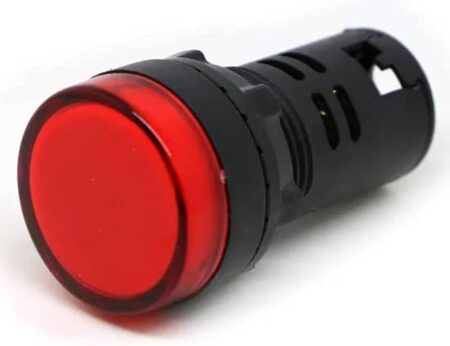
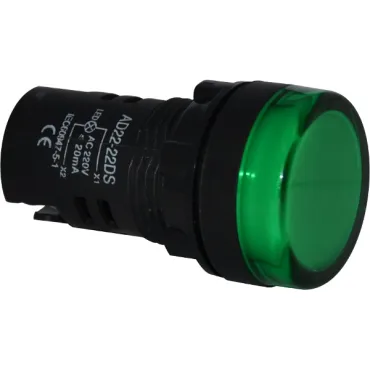
LED Indicator Pilot Light AD22-22DS AC 220V 20mA 22mm RED
Original price was: 30.00 EGP.18.00 EGPCurrent price is: 18.00 EGP.

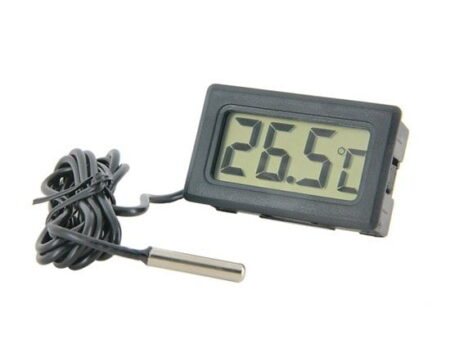
HTC–2 Digital Thermometer Hygrometer Clock Calendar with Sensor Probe
HTC-2 Digital Thermometer Hygrometer Electronic Temperature Humidity Meter Gauge Home Indoor Outdoor Clock
1. Push open the battery door according to the direction indicated by the back of the machine, take out the battery spacer, and then replace the battery door, the machine can be used.
2. Key function: (mode) switch, the clock and alarm display mode / set the current time, alarm clock, 12 or 24 / hour system, date: (adj) adjust the value of the item to be set; (memory) display the highest & lowest temperature humidity value in memory / clear the highest & lowest temperature humidity value in memory; (° C / ° F) switch the display of temperature unit (° C) or (° f).
3. In the initial state, press, and hold (mode) for 2 seconds, and the minutes of the current time will start flashing. Press (adj) to adjust the number of minutes. Press (mode) continuously to set “clock”, “12 / 24 ‘”, “month (m)”, and “day (d)” respectively.
4. Press (mode) once in the current clock mode (the two points between the clock and the minute flash once per second) to switch the display to the alarm mode (the two points between the clock and the minute do not flash). At this time, press (adj) to switch on and off the “alarm” function / the “alarm at integer hour”. Press and hold (mode) for 2 seconds to set the alarm time and start the “alarm at integer hour”()Symbol appears.
5. In alarm mode, if there is no operation, it will automatically return to the current clock one minute later. At this time, press (adj) once to switch to the calendar display, and then it will automatically return to the current clock three seconds later. Press max/min to display the maximum value of temperature/humidity since the last clear.
6. Press (memory) to display the maximum and minimum values of temperature/humidity, and press and hold (memory) for more than 2 seconds to clear the maximum and minimum values.




Tell us what you are building and we will help you find suitable components, modules, development boards and tools from our available range.